
A creator studio that remembers how you like to work.
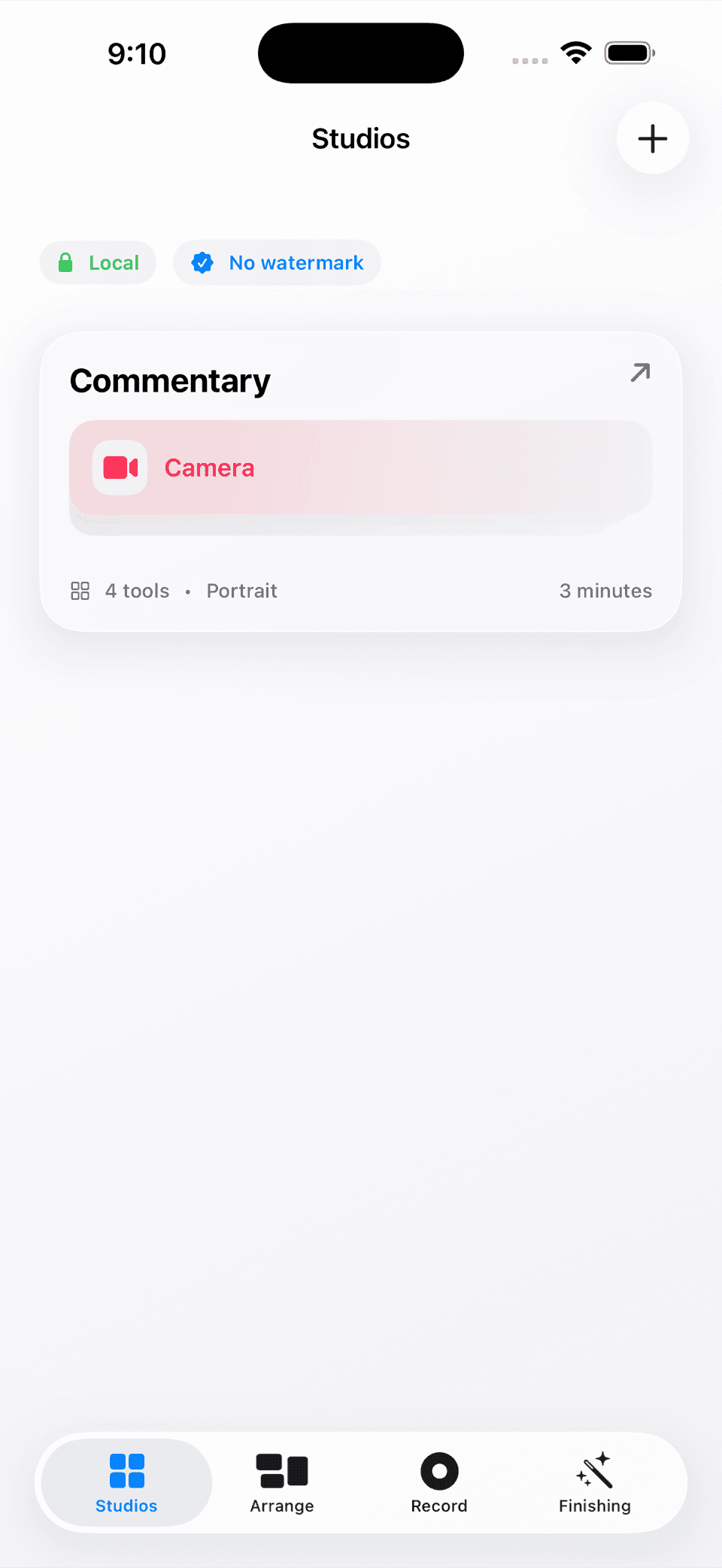
Yap is a local-first native Apple workspace for people who speak to a camera, make commentary, or build repeatable short-form sessions. Set up a board once, keep the tools close, click record, and finish from the same project.
Native SwiftUI · designed for iPhone, iPad, and Mac · 20+ creator tools · local-first recording path.
The reason for the build
Make the first sentence the hard part—not the setup.
Who it is for
Creators, commentators, educators, and anyone who speaks to a camera often enough to be tired of rebuilding the same setup.
What it does
Yap gives a creator a saved studio board, a click-to-record path, and a growing toolbox for cues, timing, notes, transcripts, captions, and finishing.
Why we made it
A lot of recording friction happens before the first sentence. The camera is ready, but the timer, outline, notes, framing, and support tools are somewhere else.
What feels different
It treats the recording workspace as personal equipment. Arrange it once, keep it local, protect the source take, and use the Finishing Room when you are ready to make a derived export.
The working loop
A repeatable setup for people who still want to sound like themselves.
Set up a studio
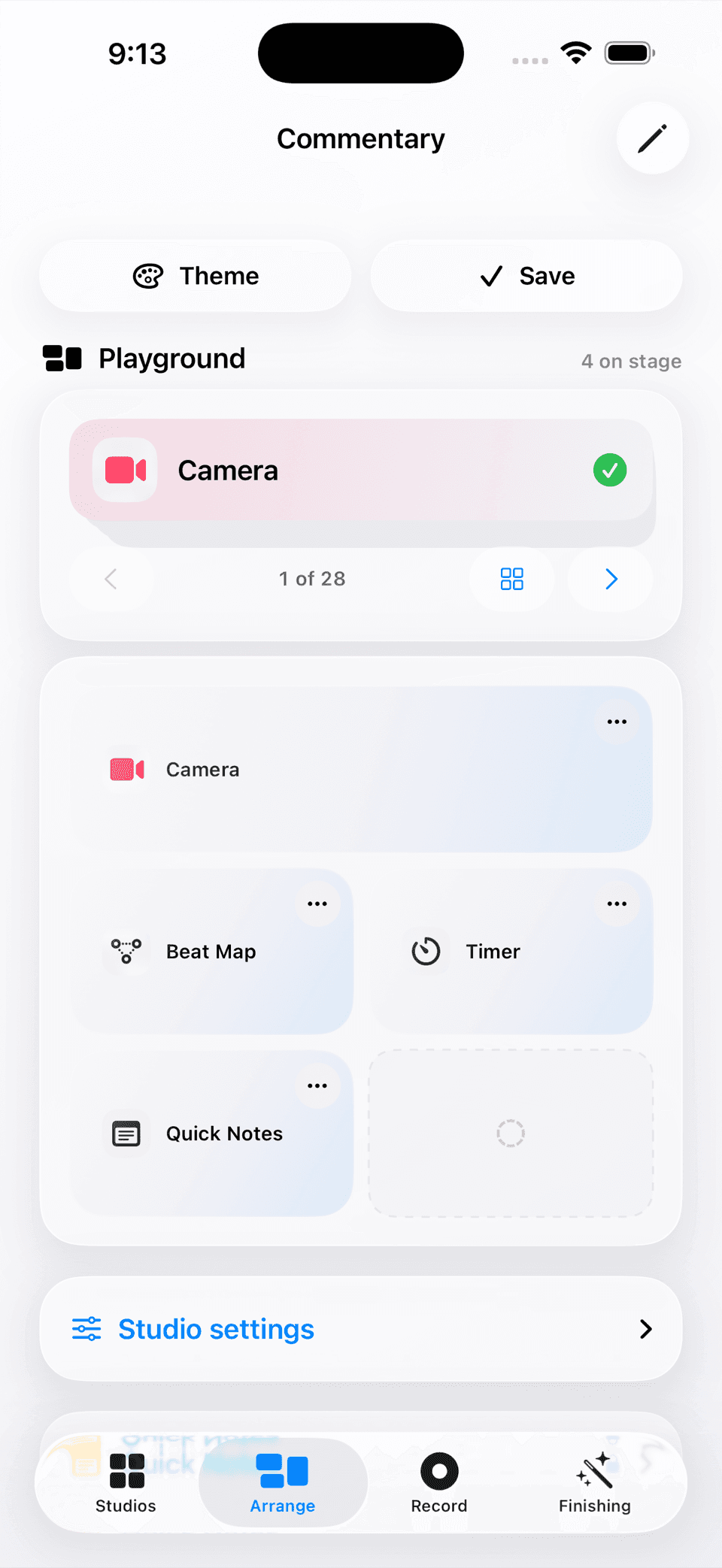
Start with a saved Commentary studio or create a board that matches the way you actually make a take.
Keep the right tools close
Use tools such as Timer, Quick Notes, Beat Map, Prepared Outline, Live Transcript, Idea Generator, Audio Health, and more without rebuilding the board.
Click record
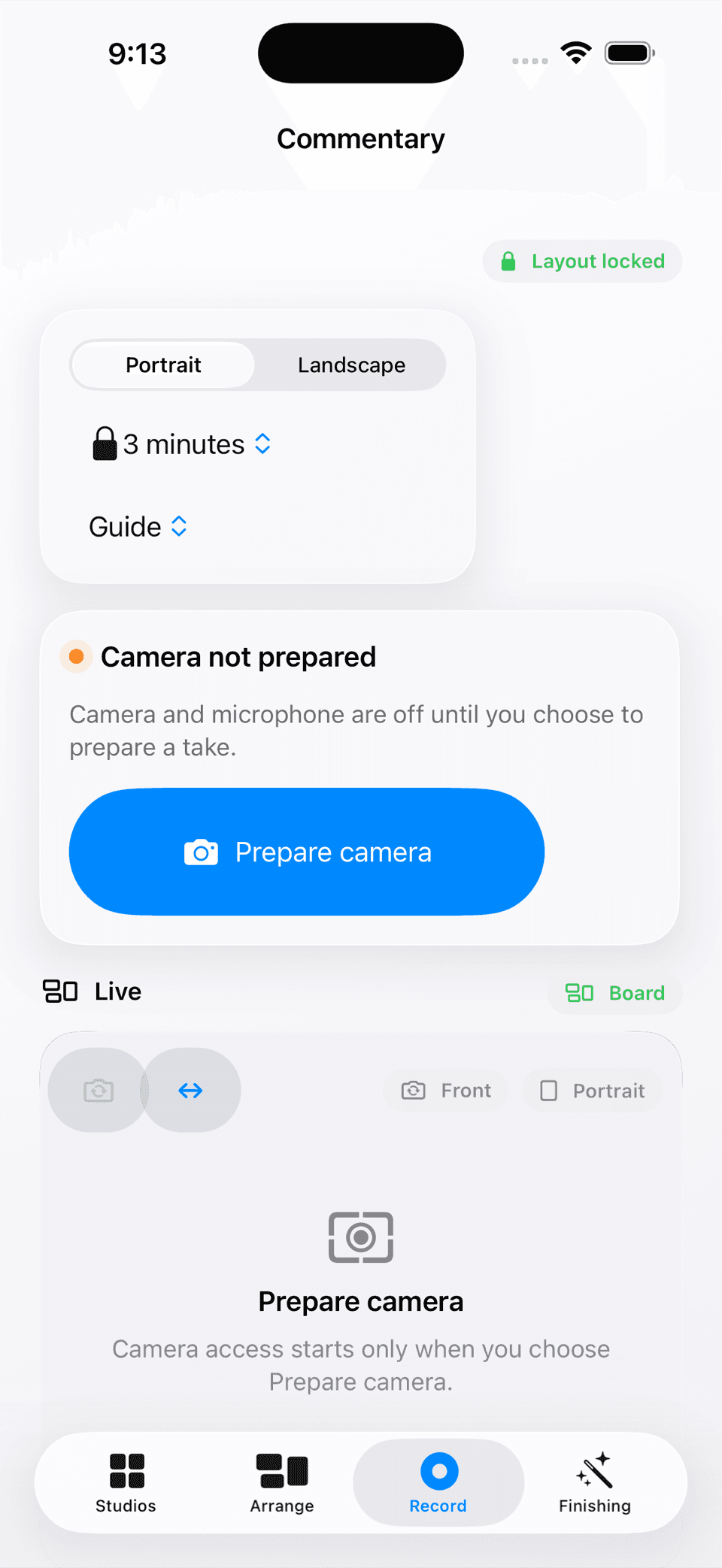
Lock the layout, choose portrait or landscape framing, and keep the recording surface focused on the live take.
Finish with review
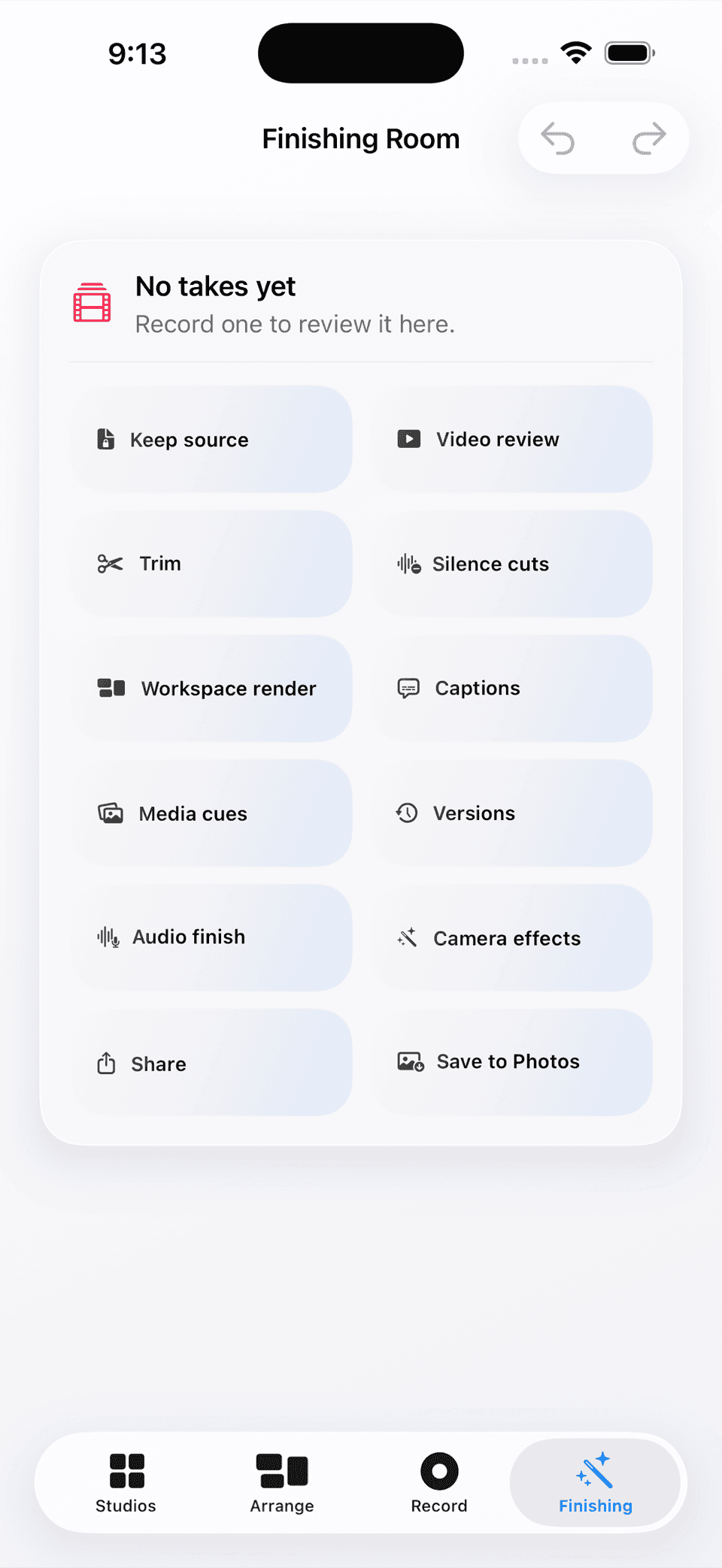
Open a saved take in the Finishing Room for trim, silence decisions, captions, media cues, audio finishing, and an export you choose.
What is actually in the build
The toolbox supports the take without taking it over.
A board you can own
The saved studio is not a one-size-fits-all dashboard. The creator decides which tools deserve space and how the board should feel.
Guidance without a teleprompter wall
Timers, beats, outlines, notes, and cues support natural speaking without forcing every thought into a script.
Source first, export second
Finishing tools work on a selected take and produce a derived result, so an edit decision does not quietly destroy the source recording.
A deliberate boundary
The creator stays in charge of the source and the result.
The current workspace is local-first, with a no-watermark path visible in the native studio library and no requirement to hand a take to a remote service.
On-device assistance can draft or cue ideas, but creator-approved wording and reviewable exports remain the boundary around the finished work.
Status and attribution
Yap is an independent BishopTech project. The screenshots show the current native simulator workspace, including Studio Library, Arrange, Record, and Finishing Room surfaces. Physical-device capture, export performance, and Apple release validation remain part of the product’s release path.